



While it’s not yet available in Google Play, please follow these steps to install it in your phone.
Step 1
Click the Download button:
Step 2
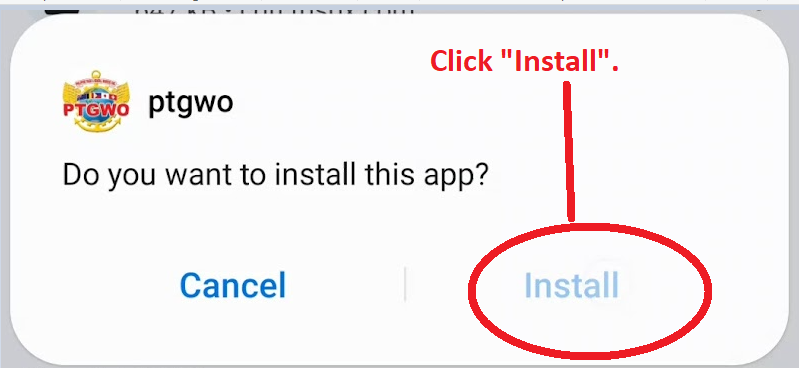
Click and open the downloaded file. Click “Install” to start the installation process.
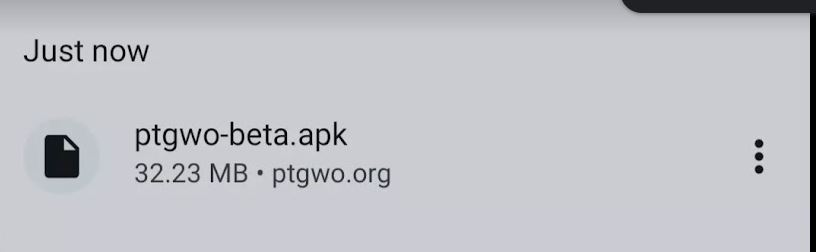
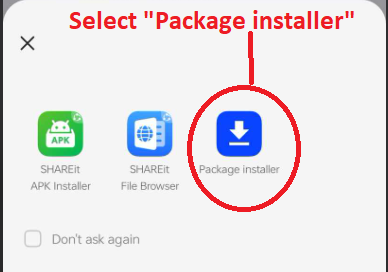
*If asked to choose what to use to install, please always select “Package installer”
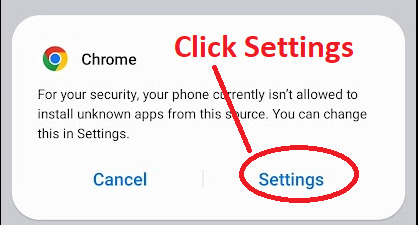
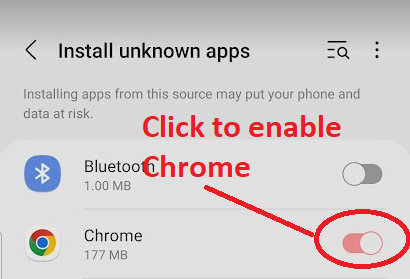
*If the “Chrome” notice pops-up, please click “Settings” and enable “Chrome” from the list.
Step 3
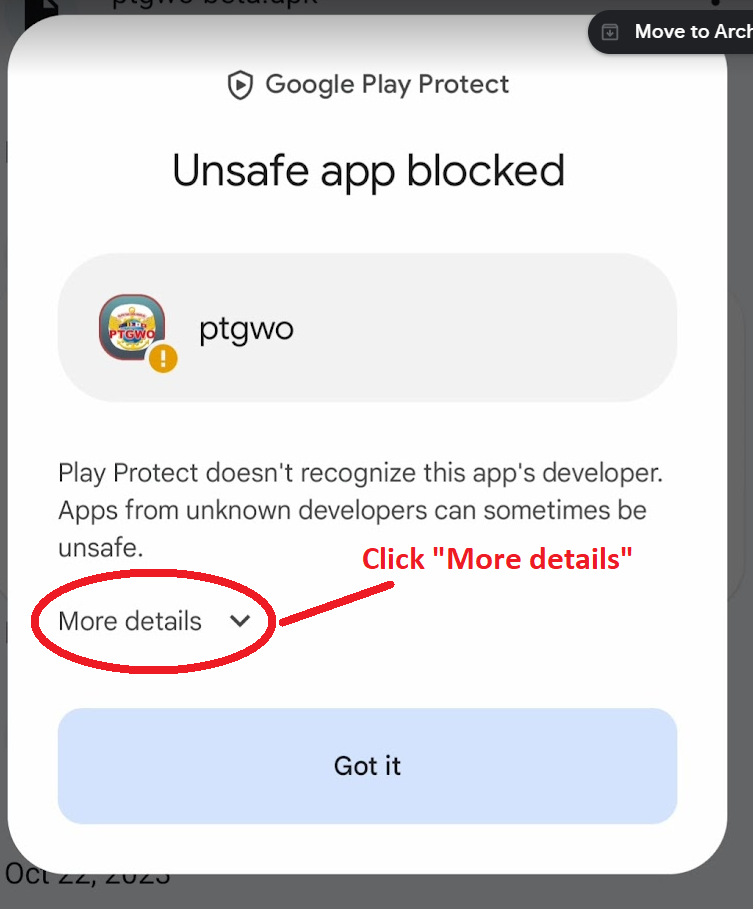
A Google Play Protect notice will be displayed. Please click “More details”.
Step 4
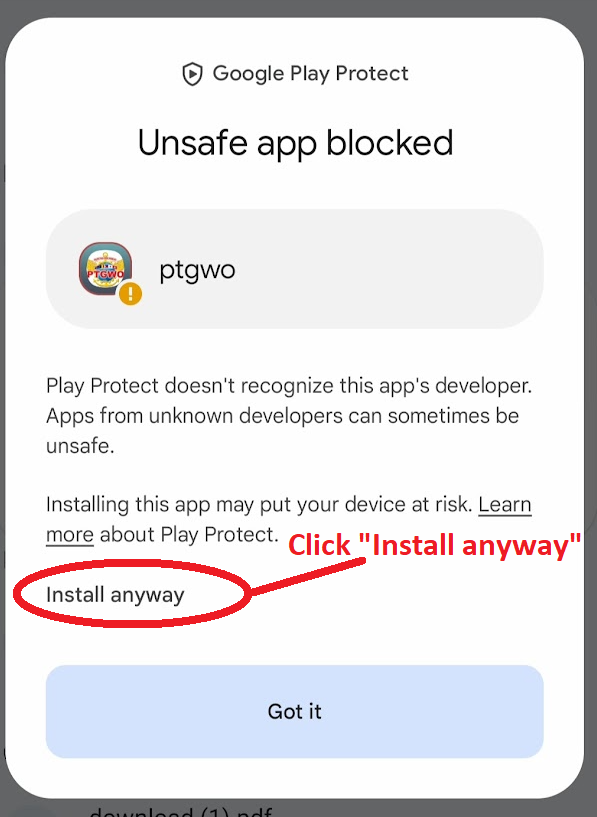
Click “Install anyway” to start the installation of the app.
Step 5
Congrats! You have successfully installed the PTGWO mobile application. Go to your home screen and look for the PTGWO icon.
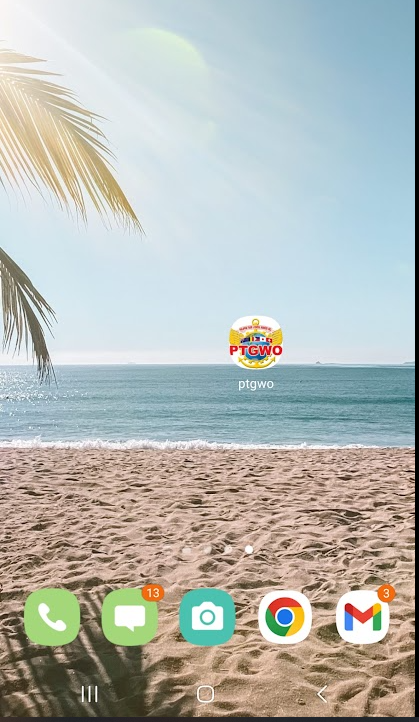
Step 6
Open the Mobile App. Enjoy!